Worklog for task "Work on contacts in the AI chat"
Updates to Contacts in the AI Chat: WhatsApp and MAX
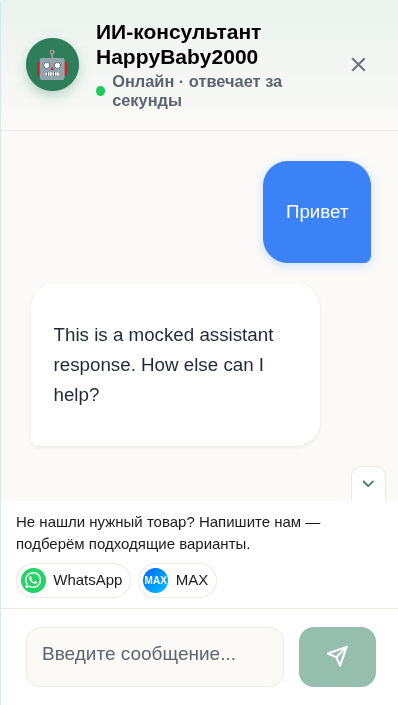
A compact store communication block via WhatsApp and MAX has been added to the AI chat interface. It is tailored for potential buyers who visit the site looking for a specific product, but either cannot find a suitable item in the catalog or want to check availability, specifications, and possible alternatives.
Not the entire store assortment is presented on the website, so a zero-result search no longer necessarily ends with the visitor leaving. After starting a dialogue, the user is prompted to directly contact the store staff and get assistance with product selection.
What the Communication Block Looks Like
When expanded, communication options with the store are immediately available to the visitor. The block is located next to the message input field, eliminating the need to go to a separate contacts page or search for a phone number manually.
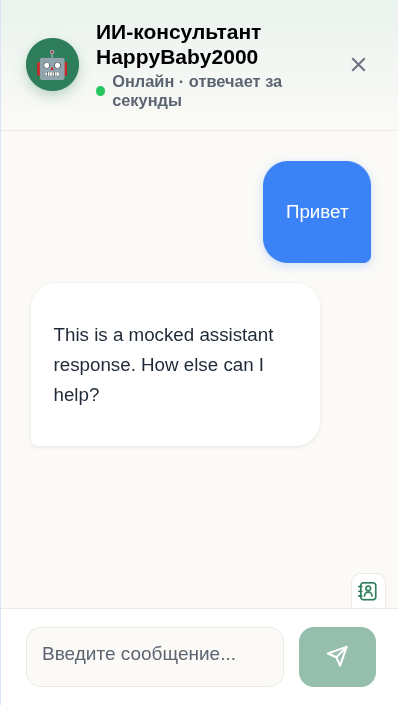
If reaching out to a consultant is not relevant at the moment, the block can be collapsed. At the same time, access to the contacts is retained and remains readily available in the chat interface.
What Has Been Implemented
- a compact communication block with store staff has been added;
- quick links to WhatsApp and MAX are available;
- the block appears after the conversation starts, when the user is already engaged in searching for a product;
- the offer can be collapsed if contacting a consultant is not needed yet;
- the contacts button remains accessible next to the input field;
- the design is adapted to the chat interface: compact icons, readable text, and smooth expansion without cluttering the screen.
Benefits for Potential Customers
This update covers an important commercial scenario: a visitor searches for a product, fails to find it in the catalog, and instead of leaving the site, gets a clear next step — to check product availability with a consultant, request an alternative, or get personalized selection assistance.
This is especially important for goods that may be available in the offline assortment or in the warehouse, but have not yet been published on the website. The customer journey becomes shorter and more transparent:
product search → consultation → checking availability → selecting a suitable option → potential purchase.
SEO and Commercial Impact
The functionality enhances the commercial value of search traffic for queries related to purchasing and selecting products. Visitors from search engines get not only the catalog, but also a direct communication channel with the store if the desired item is missing from the page.
This helps to better handle high-intent purchase queries — for example, when a user wants to buy a product, check availability, find an alternative, or clarify the price and specifications.
The expected impact of this update is an increase in the number of chat inquiries, a reduction in bounce rates after a fruitless catalog search, and an increase in the number of potential customers who can be guided to a purchase through consultation.